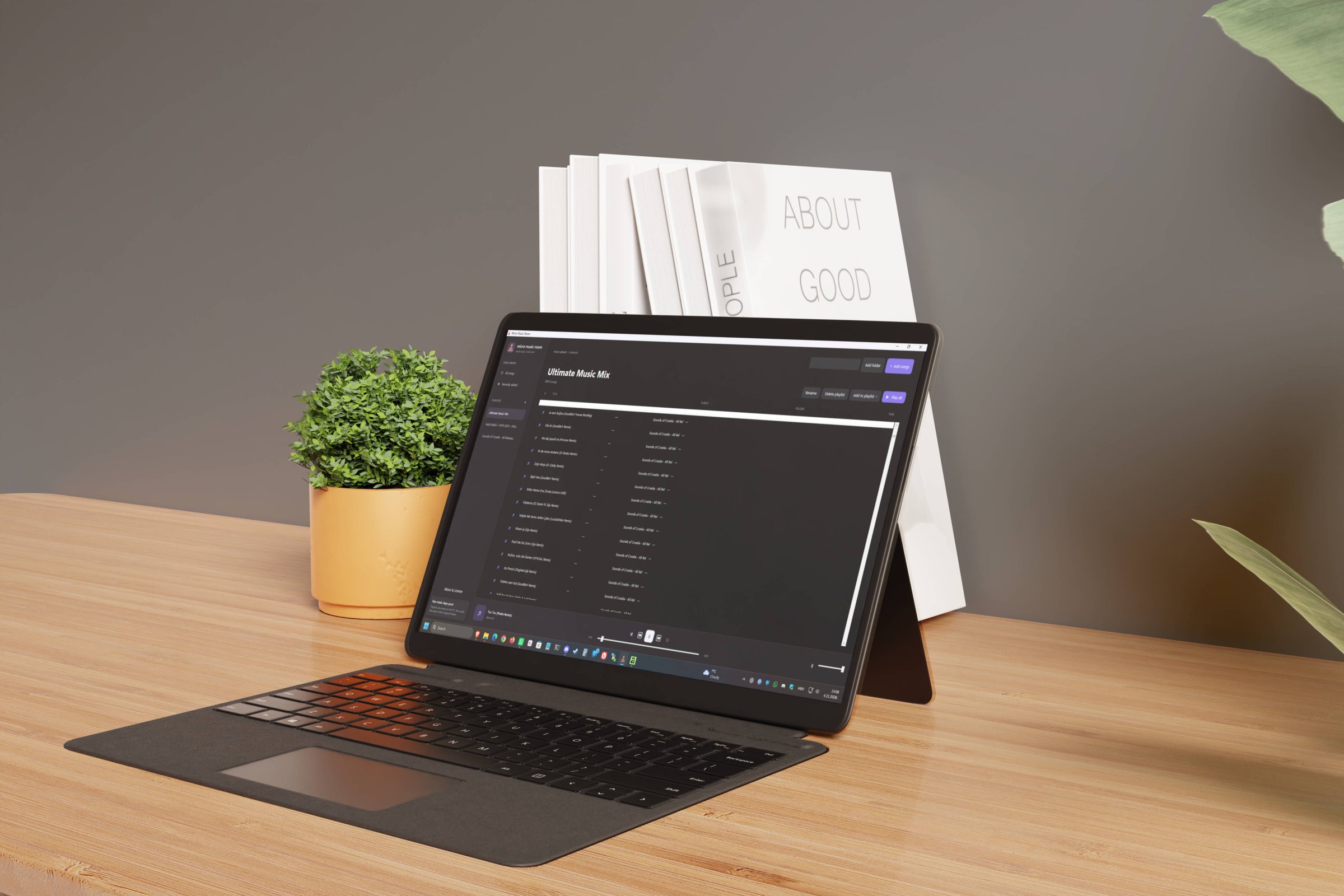
"Micro Music Room" - Small Windows Music Player for People Who Just Want to Play Their Files
In an era where a music player wants to be a streaming service, a storefront, a podcast hub, a social feed and a recommendation engine, I built Micro Music Room as the deliberate opposite: a small, dark-themed Windows desktop application that plays the music already sitting on your disk. The app's own tagline says it best: your music, your way - and it means it literally, because nothing you load into it ever leaves your machine.
It opens fast, it looks calm, and it does not ask you to log in to listen to your own files.
The Overkill Problem
Somewhere along the way, playing a local audio file became a negotiation. Modern players arrive with account walls, cloud libraries, telemetry pipelines, dashboard sidebars and installer sizes that rival a small operating system. Meanwhile my actual listening habit never changed: a folder of MP3s, FLACs and WAVs, and a handful of playlists I keep rebuilding by hand.
So the specification for Micro Music Room was written backwards from that habit. Instead of asking "what can we add?", the question was "what can we leave out?" No accounts. No cloud. No analytics. No plugin marketplace. No upsell. The only thing it manages is your library, and the only place it writes is your own machine.
"Your Music Stays Yours"
The app promises this in plain text, and the architecture keeps the promise: playlists and file locations are saved in a single readable file, %LOCALAPPDATA%\MusicRoom\library.json, on your PC. Your audio never moves - it stays exactly where you filed it, and the player simply remembers where that was. Delete the app and your music collection is untouched, because it was never the app's property to begin with.
Technically, Micro Music Room is built on WPF using Windows' own built-in media playback - which means zero third-party package dependencies. One .NET 8 codebase, a dark interface, and a portable build you can drop anywhere and run.
Two Channels, Two Trust Models
Distribution is handled with a dual-channel pipeline that produces two artifacts from one build: MicroMusicRoom-win-x64.zip for GitHub releases and MicroMusicRoom.msix for the Microsoft Store. The MSIX is built by the same CI workflow and uploaded as a GitHub Actions artifact, ready for me to submit through Partner Center.
Each channel gets the trust model that suits it. The Store package is intentionally left unsigned by me, because Microsoft signs it themselves during Store certification - when you install from the Store, the signature and SmartScreen reputation you inherit are Microsoft's, which is worth more than anything a solo developer could attach. The GitHub release ZIP is unsigned. The source code is public, so anyone can inspect it and build the app themselves under the GPL. The Store version will be signed by Microsoft after certification.
What It Actually Does
Import a folder and Micro Music Room pulls in the supported tracks and creates or updates a playlist named after that folder. From there you can add individual songs to the library or straight into the playlist you have open, select tracks across different artists and use Add to playlist to build mixes, and create, rename or delete playlists from either the sidebar or the playlist header. The sidebar also tracks recently added songs, so a fresh import surfaces itself.
Supported extensions are MP3, M4A, WAV, AAC, WMA and FLAC. Playback rides on the audio codecs available on your PC, so FLAC availability can vary between machines - worth knowing before you point it at a 40 GB lossless archive. For the record: the development test library sits comfortably above nine thousand tracks in a single playlist, so "micro" describes the app, not your collection.
Packaging is automated end to end: on every push to main, a GitHub Actions workflow builds and uploads both the ZIP and the MSIX; pushing a version tag produces a GitHub Release with the packaged app attached. If you would rather build it yourself, install the .NET 8 SDK and run the publish commands from the README - the executable, the ZIP and the MSIX all come out of the same pipeline you can audit.
Honest Limits, Because Over-Promising Is the Real Bloat
Micro Music Room is not a streaming client, not a tag editor, not a phone app, and not a cloud-synced library manager. If you move files or carry the library to another PC, you re-import the folder - that is the trade-off for keeping the player stateless and your files sovereign. It is a player for someone who knows where their music is and wants it to start.
Vibe-Coded, Declared Openly
Micro Music Room was vibe-coded with ChatGPT Codex. I directed the product decisions, the scope discipline and the refusal to add features; the model wrote a great deal of the code. Saying that plainly is part of the point - the interesting engineering here was not typing speed, it was deciding what a music player should stop doing.
The result is released as free software under the GNU General Public License, version 3 or later, copyright © 2026 Marko Idžan, provided without warranty. Source, issues and releases are public. The DJ icon is by Icons8 and credited in the app's About section.
Get It
Microsoft Store - https://apps.microsoft.com/detail/9PNRBDKP4RVC
Download the latest release on GitHub - MicroMusicRoom-win-x64.zip
View Source Code on GitHub-https://github.com/idzanhr/redisign_small_music-player_dotnet_gpt
Built using Vibe Coding with ChatGPT Codex on .NET 8 and WPF. Zero third-party packages, local-first by default - your music never leaves your disk. Distributed via Microsoft Store and GitHub, licensed GPL-3.0-or-later. Text checked for grammar and proofread using Proton Lumo 2.0 Max model.