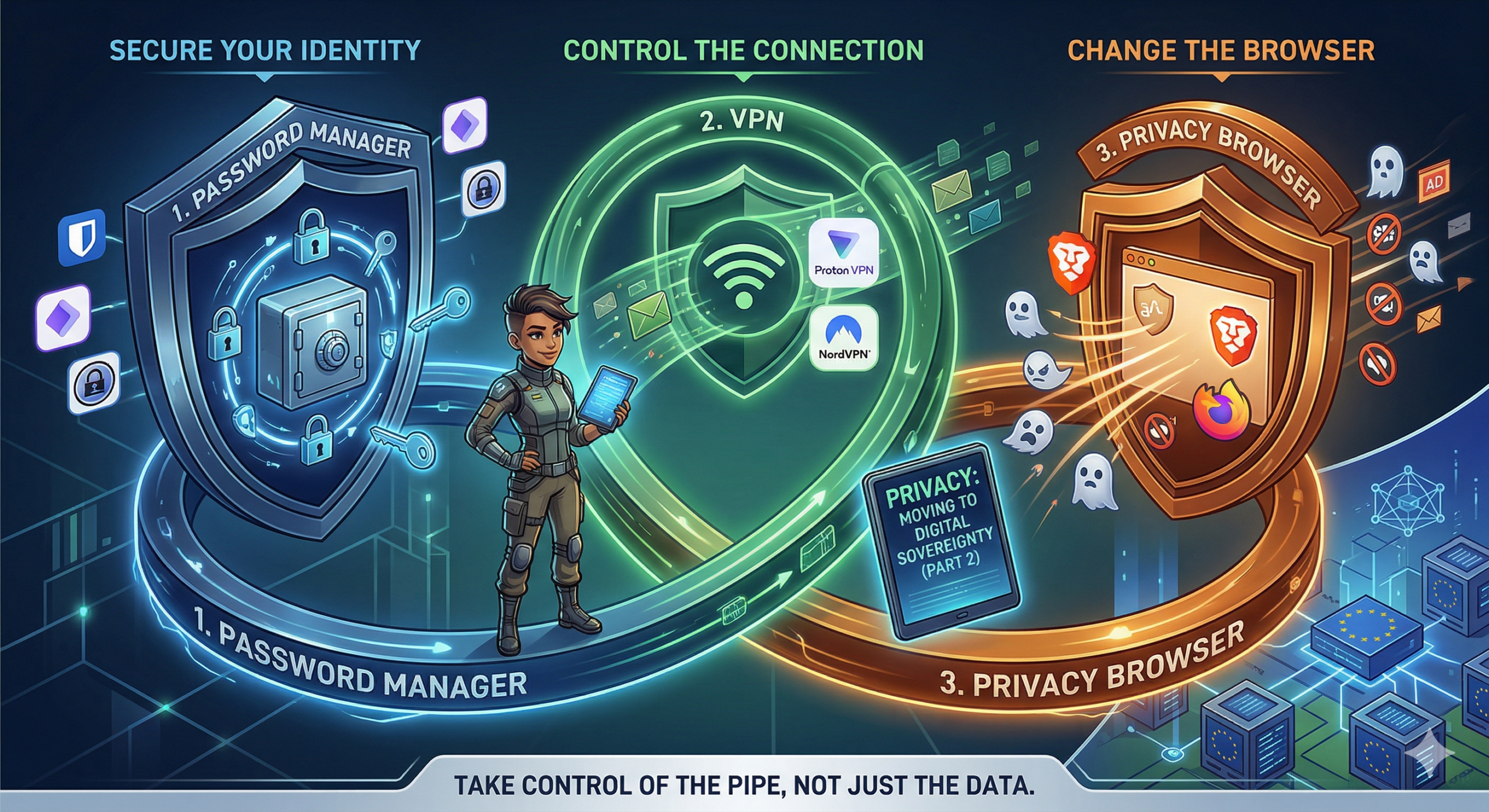
For more details on why this matters, check my previous post here. Here, we tackle the next easy steps before moving to the higher end of digital sovereignty.
You’ve moved your email and files. Good. But if you’re still browsing with Chrome, logging in with reused passwords, or connecting via public Wi-Fi without a shield, you’re leaving the front door wide open.
Data sovereignty isn’t just about where you store your files; it’s about controlling the pipeline between you and the internet. If you can’t control the pipe, the data you store doesn’t matter.
Here are the three non-negotiable layers I recommend implementing immediately. These are the low-hanging fruit that stop the bleeding before you consider more complex setups like self-hosted servers.
Secure Your Identity: The Password Manager
Stop using “Password123” or variations of your birthday. If you reuse a password across sites, a breach on a low-security forum compromises your bank account. Take the recent incident with the Croatian company Eko-Flor, for instance, which was freshly compromised; their notice stated it was a security incident, but with basic forensics likely just checking GDPR compliance boxes, who knows really how deep the breach went? Source: https://eko-flor.hr/2026/03/19/sigurnosni-incident/. And if you are still using your browser’s built-in save feature or even Notepad and Sticky Notes to store your passwords, what the actual f**k are you doing? That is not safe anymore. You need to switch immediately. If you want a fully local solution, go with KeePass. It is free, open source, and highly suggested for those who want total control over their database file. For those who prefer online protected managers with sync capabilities, I have tested and used a few. Bitwarden is excellent; it is free, has a self-hosted version called Vaultwarden, and you can support the official cloud sync for about 10 euros a year. NordPass is another solid option that offers double protection and works well on Android and PC, though I haven’t tested it on iOS yet. Finally, there is Proton Pass, which has been my go-to for a long time as a paid user, and I even use the free version for company policy saved and generated passwords. It offers end-to-end encryption with Swiss protection, which is top-notch at the moment for me. It syncs easily with PC through protected and secured servers, featuring desktop apps for Windows, Mac, and Linux, plus mobile apps for Android and iOS. Even the free version can sync just like the paid version, don’t ask how I know that 😉. Regardless of which you choose, start by installing the browser extension and mobile app, then change passwords for your critical accounts like your bank, email, and social media. Let the tool handle the rest.
Control the Connection: The VPN
Your ISP sees everything you do. They know which sites you visit, how long you stay, and can throttle your speed or sell that metadata. Public Wi-Fi is a nightmare for privacy; anyone on the network can intercept your traffic. But it doesn’t stop there. While using your home network, whether on Wi-Fi, wired connected to your router, or even on mobile data with 4G or 5G, you’re still leaving the front door and even some backdoors opened. Your carrier, your ISP, and the equipment along the path all have visibility into your traffic. The move here is routing your traffic through a trusted, no-log VPN. It masks your IP address and encrypts your traffic between your device and the exit node. My recommendation is Proton VPN. It is based in Switzerland, subject to strict privacy laws, and operates under a strict no-logs policy verified by independent audits. It includes NetShield to block ads and trackers at the network level, saving bandwidth and reducing fingerprinting. There is a free tier for basic needs, but the paid tiers unlock faster speeds and Secure Core servers. I also previously used NordVPN as part of their Nord Security package, and it works great on their paid plans. However, buyers be aware of their tactics around longer payment commitments and monthly subscriptions. Personally, I got mine through the Revolut Ultra plan when it was released, so I didn’t pay a dime. I just entered the code and voilà, two years of non-refundable and non-resubscribing protection. Your mileage may vary, so read the fine print before committing.
Change the Browser: The Viewpoint
Your browser is your window to the web, but it’s also a surveillance tool. Chrome and Edge are built to harvest data for ad targeting. Even incognito modes don’t hide you from your ISP or the sites you visit. The move here is switching to a privacy-hardened browser to stop fingerprinting, block trackers by default, and prevent scripts from mining your data. My recommendations are Brave or Firefox with strict settings. Brave blocks trackers and ads out of the box and makes for a fast, easy transition from Chrome. Firefox is highly customizable; pair it with uBlock Origin and strict privacy settings for maximum control. Make whichever you choose your default browser, disable third-party cookies, and enable Do Not Track signals.
The “Break-Glass” Reality Check
I mentioned break-glass scenarios in Part 1. Even with these tools, you might need to use a standard Google or Microsoft based tool in an emergency, whether that’s a locked-down corporate environment or a travel situation where you can’t install custom software. The strategy is keeping your clean identity separate. Use your privacy tools like Pass, VPN, and encrypted email on your personal devices. On the untrusted device, use the browser’s incognito mode, avoid logging into personal accounts, and never enter sensitive data. Treat these devices as hostile environments.
What’s Next?
Once you’ve secured your identity with Pass, your connection with a VPN, and your viewpoint with a hardened browser, you’ve closed the most obvious leaks. In Part 3, we’ll look at the higher end of sovereignty: self-hosting and moving beyond cloud providers entirely with VPS options like Hetzner, Contabo, and OVHcloud; domain ownership and registering domains through those providers and other alternatives that I found and use that can replace Microsoft/Google apps fully and are EU/EEA plus GDPR fully compliant. This will also include a few things which might be missed but in today’s day and age are must-haves, like setting up MFA correctly, backing it up even in moments when break-the-glass is needed, and down the line, slowly moving to the Linux world. Don’t worry, it isn’t as scary as it previously was. Now there are great distros for everything, from coders to gamers. Am I right, Steam Deck users? 😀
Digital sovereignty is a journey, not a destination. Start with these three steps today. They are the difference between being a product and being a user.
Text checked and rewritten using Proton Lumo+ AI.